- Solutions
-
- File Server: Ransomware Protection
- File Server: File Copy
- File Server: Audit File Access
- File Server: Storage growth reporting
- Licensing/Pricing
- Contact

This help page is for version 10.0. The latest available help is for version 10.2.
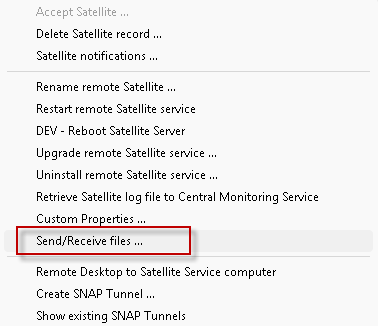
Files can be copied between the Central Server and remote Satellite Monitoring Services. Right-click on the Satellite and choose Send/Receive Files.
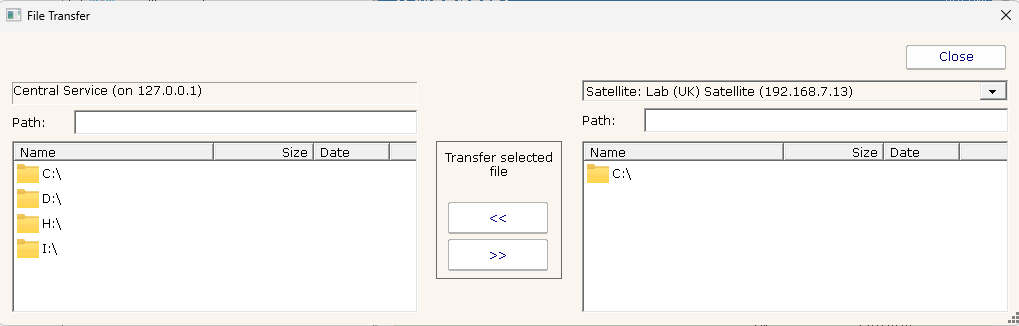
You will see a familiar directory tree control for the Central Server and for the selected Satellite server. Files up to 4GB can be transferred. The file transfer using the same HTTPS connection from the Satellite that all other configuration and SNAP Tunnels use, so large transfers will be slowed a bit to ensure the connection is not saturated.
A security setting (AllowManualSatelliteFileSync) can be used to enable or disable this feature on the Central Server and on a per-Satellite basis (the value can be set on the Central Server and on Satellites).
This copy operation can also be automated with the File Synchronizer monitor.