- Solutions
-
- File Server: Ransomware Protection
- File Server: File Copy
- File Server: Audit File Access
- File Server: Storage growth reporting
- Licensing/Pricing
- Contact

This help page is for version 10.0. The latest available help is for version 10.2.
The System Audit Monitor is made to monitor and alert on changes within the PA Server Monitor system. This monitor can alert on all of the changes that are recorded in the Monitoring System Audit report, such as successful and failed logins, changes to monitors, actions, etc. This is very useful if you want to add configuration change tracking to an existing SIEM system.
The System Audit Monitor is a Global Monitor, which means it can be added in Advanced Services (on the navigation toolbar) > Global Monitors.
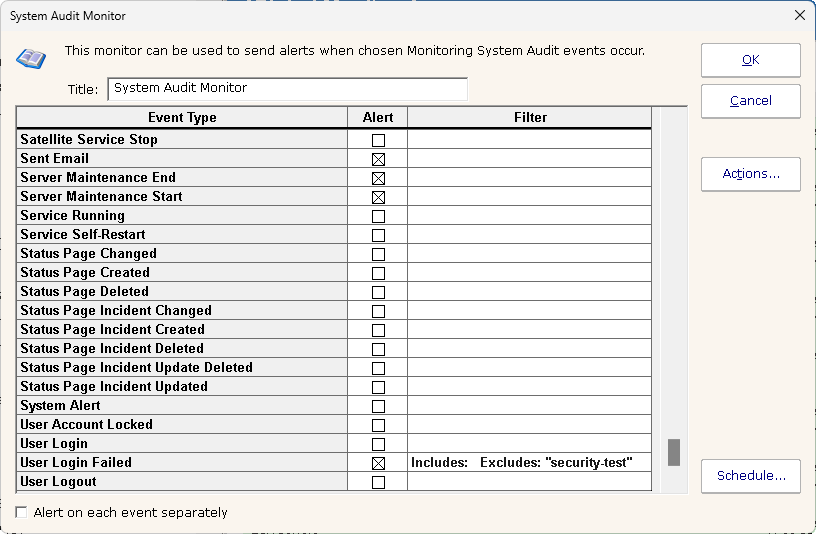
Creating the monitor is very simple. Simply check the boxes next to the audit events that you want to be notified of, and then add actions just like all other monitors.
You can click in the Filter column to filter on which events are alerted on, by either filtering on specific items, or ignoring specific items.