This help page is for version 10.0. The latest available help is for version 10.2.
System Audit Report
The System Audit Report is a pulled from a database of activities that have happened in the monitoring system.
Note that these events can be alerted on using the System Audit Monitor.
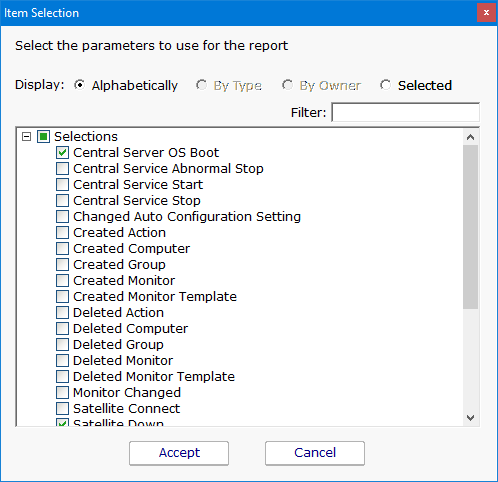
System Activity Types
- Action Created, Deleted, Changed, Locked or Unlocked
- Auto Configuration Setting Changed
- Auto-Recovery Step Run
- Bulk Config Operation
- Central Server Boot or Abnormal Stop
- Central Service Start or Stop, Running, Self-Restart
- Computer Created, Deleted, Changed, Moved, Enabled or Disabled for Monitoring, Maintenance Started or Ended
- Endpoint Command Sent
- Executed Custom SQL
- Group (servers) Created or Deleted
- Monitor Created, Deleted, Changed, Disabled or Enabled, Locked or Unlocked, Maintenance Start or End
- Monitor Template Created, Deleted, Changed, Enabled or Disabled for Propagation
- Satellite Server Boot or Abnormal Stop
- Satellite Service Connected, Running, Down, Service Start or Stop
- Sent Email
- SNAP Tunnel Created or Destroyed/Closed
- System Alert
- Trusted Applications List Changed
- Trusted Applications Rule Created, Deleted, Changed, Paused or Resumed
- User Account (Active Directory) Added to or Removed From White List
- User Account (Active Directory) Blocked or Unblocked
- User Account (for product) Locked For Failed Logins
- User Login Succeeded or Failed
- User Logged Out
This data is collected and stored automatically - nothing needs to be configured.
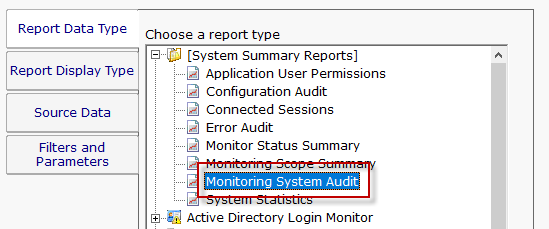
The report is located at [System Summary Reports] > Monitoring System Audit.
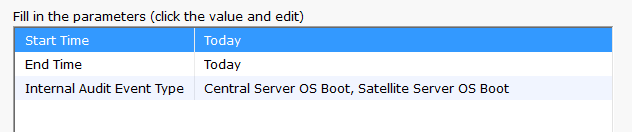
Configuring the report is as simple as choosing a date range, and the type of events you would like to see.