Home
OEM/Branding
About Us
Play Sound File Action
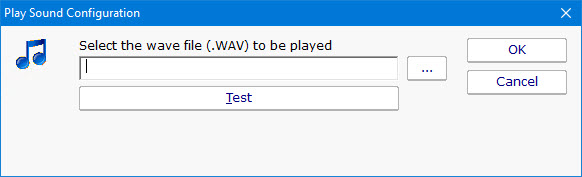
The Play Sound File action will play the specified .wav file when the action is triggered.
PA Server Monitor
PA Storage Monitor
PA File Sight
PA WatchDISK
Compare Products
Order Licenses
Downloads
Contact Us
Documentation
PA Server Monitor
Getting Started
Quick Installation Guide
Detailed Installation Guide
Concepts and Terminology
Console (Main Screen)
Global Settings
Database Settings
Report Settings
Group Report Settings & Delivery
HTTP Settings
SNMP Settings
Adding Computers
Adding Monitors
Adding Actions
Configuration Export and Import
Monitors
Disk Space Monitor
Web Page Monitor
Event Log Monitor
Ping Monitor
Log File Monitor
SNMP Monitor
TCP Port Monitor
Server Temperature Monitor
File & Directory Monitor
Directory Quota Monitor
Mail Server Monitor
Performance Monitor
Service Monitor
Execute Scripts
Environment Monitor
Process Monitor
Citrix Presentation Server Monitor
File Age Monitor
Actions
Send SMTP E-mail
SMS Text Message
Pager Alert via SNPP
Reboot Server
Start Application
Start, Stop or Restart Service
Execute Script
Write to Log File
Display Message Box
Play Sound
Write to Event Log
Network Message (Net Send)
Dial-Up Connection
Phone Dialer (DTMF/SMS)
Monitor-Directed Email
Reporting
Server Summary Report
Summary Status Report
Visual Status Map
Scheduled Report Generation
Ad Hoc Report Generation
Republish HTTP Reports
Other Features
Monitors Multiple Servers from a Single Installation
Event Escalation
Maintenance Schedule
Smart Configuration
Feature
Bulk Configuration
Feature
Easily Duplicate Configurations
System Activity Log
