- Solutions
-
- File Server: Ransomware Protection
- File Server: File Copy
- File Server: Audit File Access
- File Server: Storage growth reporting
- Licensing/Pricing
- Contact

The TCP Port Monitor will periodically connect to a port on the defined server and record how long the connection took. In addition, a text command can be sent, and a specific text response can be checked for (if no response is specified, the establishment of a connection is considered successful).
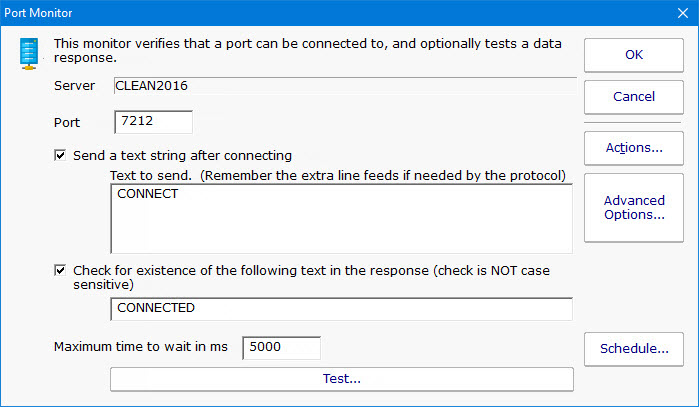
Since connection times are recorded, you can create reports that show connection times to help you understand when the system is under load.
For example, you could use this monitor to test whether an
HTTP server is accepting connections by specifying the following send text:
GET / HTTP/1.1<enter>
<enter>
<enter> (blank lines are important for this protocol!)
and then check for response text of '200'. (This is just an example--in this particular case,
it would be easier to just use the Web Page Monitor).
Like all monitors, this monitor has standard buttons on the right for Adding Actions, setting Advanced Options and setting the Monitor Schedule.

The TCP Port monitor can create reports based on the port response time from the target server/device. This data can be charted as well as output in .CSV or HTML tabular form. In addition, you can define what 'up' means and create an uptime report showing a percentage of uptime over a given time period.