- Solutions
-
- File Server: Ransomware Protection
- File Server: File Copy
- File Server: Audit File Access
- File Server: Storage growth reporting
- Licensing/Pricing
- Contact

The Send Pager Alert action can send monitor details to an SNPP pager. You will need to get the SNPP server name from your SNPP provider.
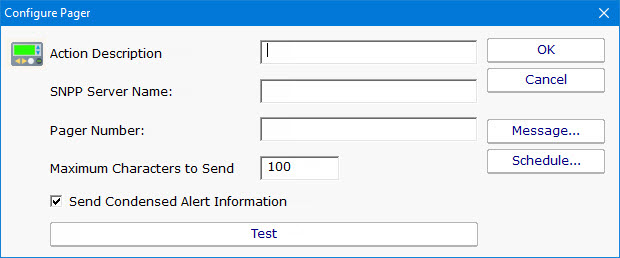
Some pager providers have an SMTP gateway. It is often easier to configure an E-Mail Action to send to a pager than the Send Pager Alert action. See the related FAQ about sending SMS alerts.
Pressing the Message button displays the configuration dialog below. This lets you customize message text, select different templates to use, and to create new templates. This is most useful when sending alerts to devices like pagers and cell phones which might only accept the first sentence or two of a message. Also, having the abillity to use different message templates will help you get the right information to the right groups.

You can also specify specify that the message is HTML, and enter an HTML message template. Enclose the template in an <html> tag. Don't bother with a <head> tag as most email clients will strip it out.
Some good hints and tips about HTML email are available here: http://www.mailchimp.com/resources/guides/email-marketing-field-guide/
You can also rename the action as it shows up in the various action lists (for example to give the email action a group name). You can reset the action to its original/default name by simply clearing the name field.
A typical alert email could look something like this:

Note: Actual message content will vary depending on the product being used, and the monitor which fires the actions.
If the action should not be used 24/7 you can use the Schedule button to specify when notifications should be sent to the given pager. On off hours the action acts as though it isn't configured at all. The dark green below indicates 'on hours' and the lighter grey specifies 'off hours'.
