Linux, Unix and Device Monitoring
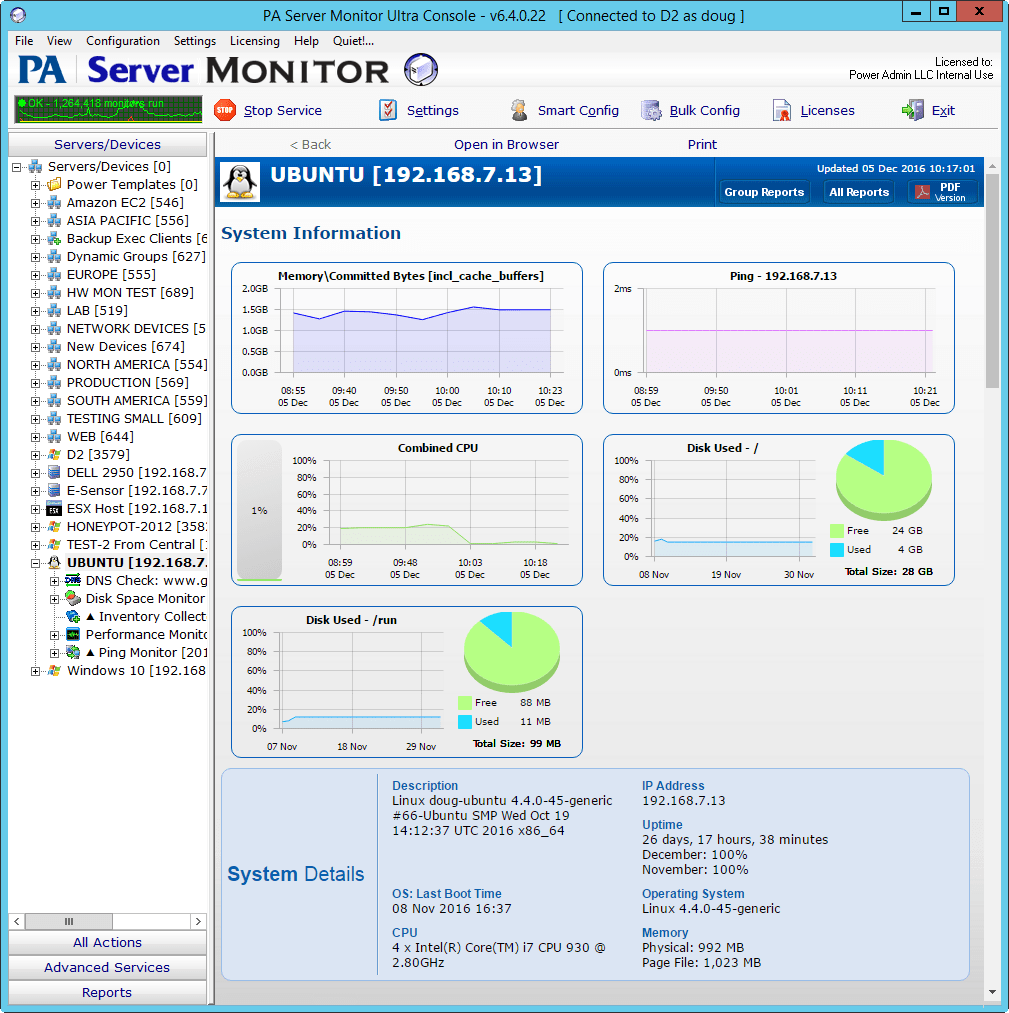
PA Server Monitor has great support for monitoring Unix-based operating systems like Linux, and network devices like routers and firewalls.
This is accomplished using standard protocols:
- CPU & Memory can be monitored using the standard Performance Monitor. When it detects that it's not communicating with a Windows server, it switches to SNMP in the
background and simulates Windows CPU and memory counters.
- Disk Space can be monitored with the standard Disk Space Monitor. It too will switch to SNMP in the background and display disk volumes for monitoring.
- Ping Response monitoring can be directed at anything with an IP address. Reports and alerts are naturally supported too.
- Bandwidth is monitored and charted using the standard SNMP monitor by watching ifInOctets and ifOutOctets. The Smart Config process will automatically create a bandwidth monitor if those SNMP objects are found.
- SSH can be used in the Execute Script monitor to run arbitrary scripts on a device to check on and record statistics, indicate if alerts should be fired, etc.
- The Process monitor uses SNMP behind the scenes to verify the specified processes are running on Linux/Unix.
- Direct SNMP monitoring can be applied to anything that supports SNMP. Our MIB parser makes it simple to browse through the SNMP
objects of a device.
- SNMP Traps can be received from any device, filtered, alerted on, and reported on.
- Syslog events can be received from any device. You can choose which ones to alert on. Reporting is also supported.
- Web Page monitoring can be done for web pages served from any HTTP server.
- The Mail Server monitor checks SMTP, POP3 and IMAP4 servers regardless of server operating system.
- Monitoring FTP servers works fine using the FTP Server monitor.
- The TCP Port monitor connects to a specified TCP port, and optionally sends a string of data and checks for an output string.
- With Samba installed such that a Windows computer can access the remote disk:
- Log File monitoring should work fine.
- The File & Directory monitor will work fine with one big caveat: If you are checking sub-directories there can't be recursive links because the difference between a link and child directory can't be determined from Windows.
- File Age monitor should work fine.
PA Server Monitor downloads and installs quickly, and is easy to configure. We suggest trying the fully-functional 30-day trial to see how it works in your environment.
Please feel free to ask any questions or make suggestions by contacting us.